Shrink the org. Keep every record.
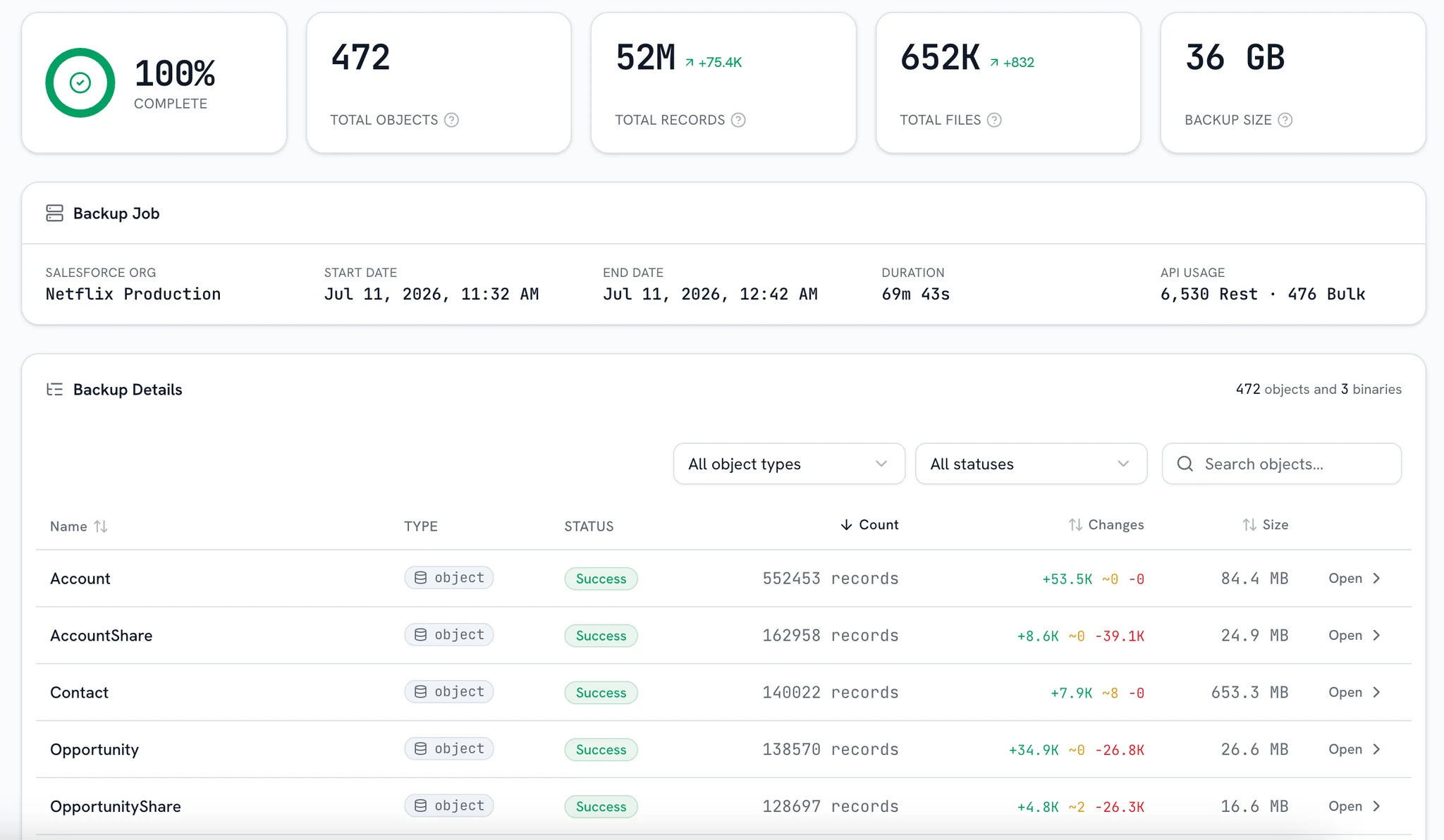
bluefactory moves closed, cold records (files included) out of Salesforce into storage you own. Every record is captured and verified before it's deleted, stays queryable for as long as you keep it, and restores when it's needed live again.
Retention, not deletion
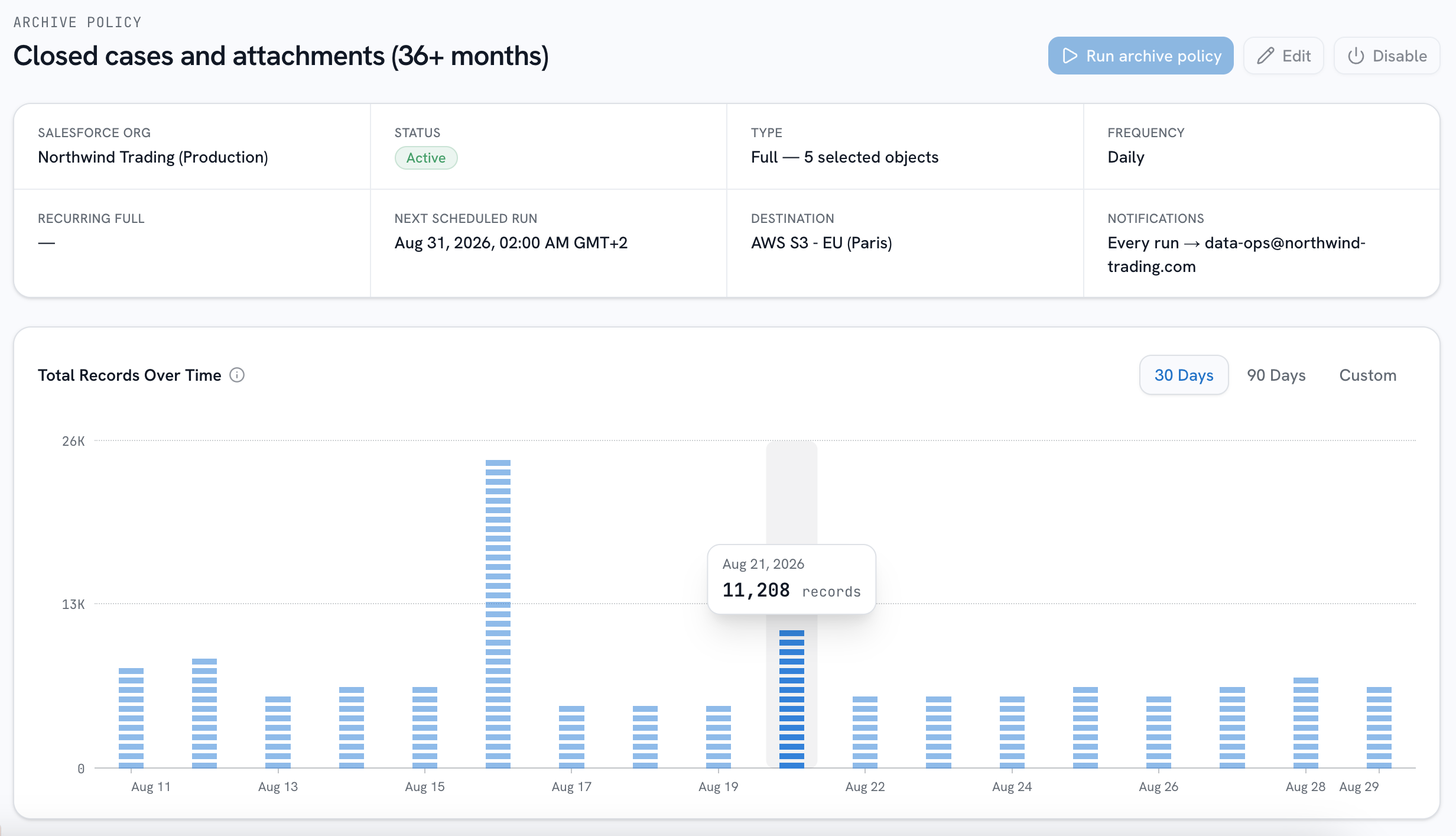
Policies on a schedule
Define what counts as cold (closed older than two years, a record type, any per-object WHERE condition) and recurring runs move matching records out on the cadence you set.
- Any WHERE condition
- Recurring runs
- Or on demand
Scope the whole shape
Start from a root object and attach its related children, each with its own filter, in the same visual scope builder restores use. A case moves out with its emails and attachments still attached to it.
- Root plus children
- Filter per object
- Files move too
A pre-flight before any delete
Before a run launches, a pre-flight shows live counts of exactly what will match, per object, and the relationship impacts of removing them. Objects that have never been captured raise a warning first.
- Live per-object counts
- Relationship impacts
- Deletion is opt-in
Still yours after it moves
Archived data stays a live copy you can work with: query it with SQL, download the files, and restore records into the org with relationships rebuilt when they are needed live again.
- Query it with SQL
- Files one click away
- Restore on demand
Delete is the last step, never the first
It leaves the org by being copied first
Records that match your policy, and the files attached to them, are written to your storage in the same snapshot format backups use. Start from a root object and attach its related children, each with its own filter, so a case moves out with its emails and attachments still attached to it.
Policy: closed, older than 2 years
Written to your storage before anything is touched in Salesforce.
Frequently asked questions
What separates an archive from a delete, where the data lives, and how you get it back.
Want a demo? Book a demo
How is archiving different from backup?
A backup copies your data and leaves every record where it is, so you can recover the org later. An archive is about the records leaving: the run captures them to your storage, verifies the capture, and only then deletes them from Salesforce, so your org's footprint drops while the data stays queryable and restorable for as long as you keep it.
Can I get archived records back into Salesforce?
Yes. A restore brings archived records back into the org with relationships rebuilt, and like every bluefactory restore, you read a preview of each write before it happens.
Where does archived data live?
In your own Amazon S3 or Azure Blob bucket (your account, your region, your keys) or in bluefactory-managed storage if you'd rather not run one. Encrypted at rest either way, kept for as long as you choose.
How do I search archived data?
With SQL. Any archive is queryable from the console (joins, aggregates, CSV export), so retrieving a record you moved out takes a SELECT.
What stops an archive from deleting something that wasn't safely captured?
The order of operations. Delete runs last, only against records whose capture was verified. And before a run launches at all, a pre-flight shows live per-object counts and relationship impacts, and flags any object that has never been captured.
Do files get archived too?
Yes. ContentVersion, Attachments, and Documents move out with the records they belong to, and remain downloadable from the archive.
Stop paying for data nobody opens
Define what counts as cold, then watch the first run capture it, verify it, and move it out, with a receipt for every record.