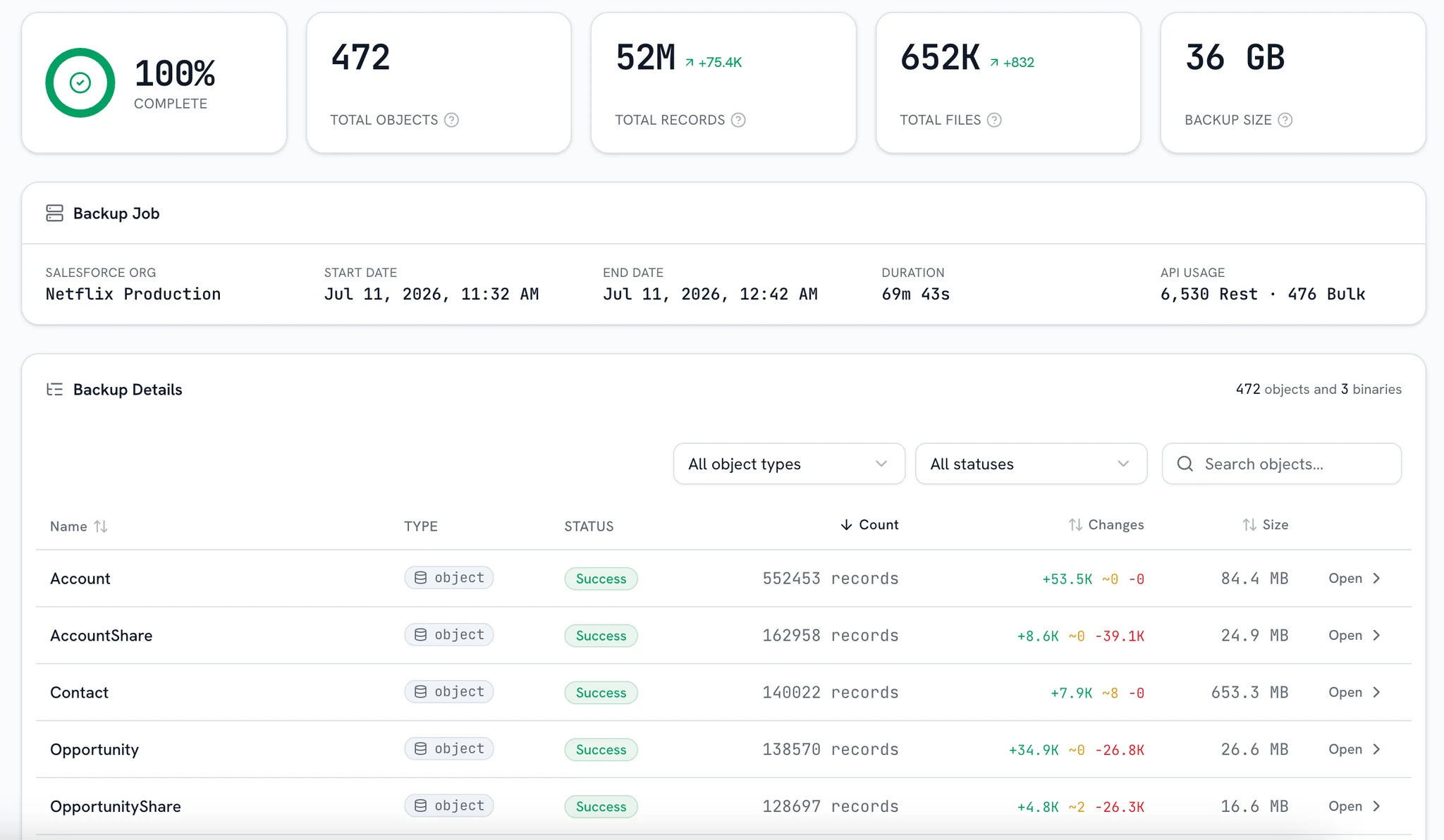
Your backup is a database, not a ZIP.
Every bluefactory snapshot opens as a queryable SQL database: joins, aggregates, and window functions over your org exactly as it was, on any date you backed it up. No live queries, no API limits, no restore just to look.
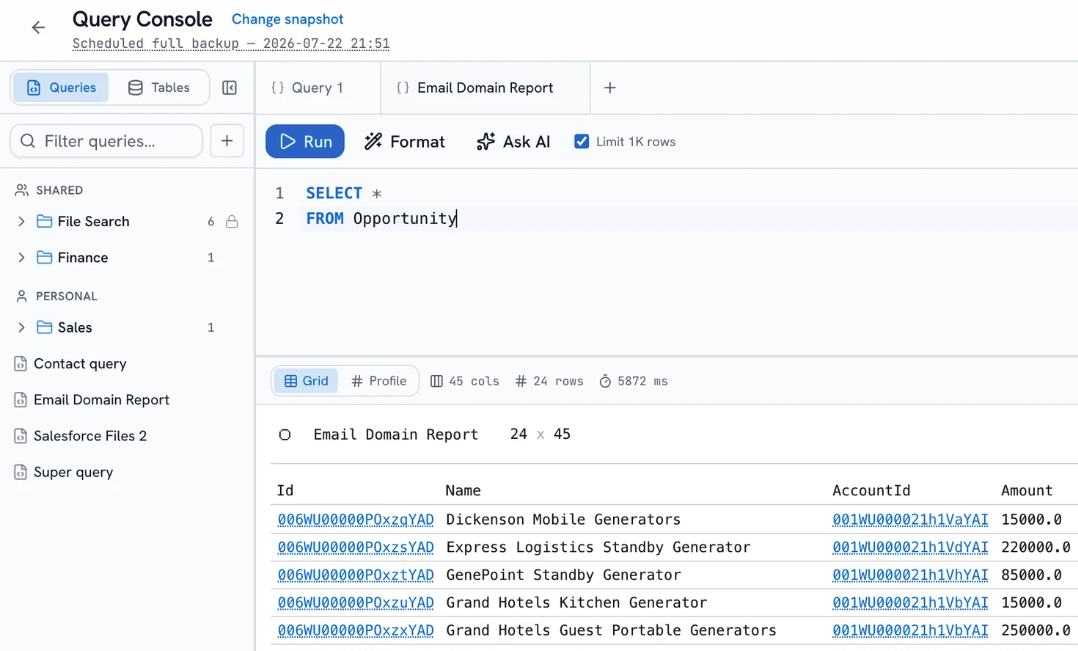
Your backup, open as a database
Query the org as it was
Every completed backup is a queryable point in time. Compare quarters, check what a record held before the migration, or audit what changed, without restoring a thing.
- Any completed run
- No restore first
- Compare across dates
A workbench to work in
Schema sidebar with typed columns, autocomplete over tables and fields, Cmd-Enter to run, one key to format, and a tab per question with its own history. Group, pivot, profile a column, or chart it.
- Autocomplete and tabs
- Profile any column
- Charts from the grid
No API-limit anxiety
Runs read the snapshot, never the live org, so you can explore as hard as you like without spending production's API budget or slowing the integrations that depend on it.
- Zero live queries
- Explore freely
- Files queryable too
Runs leave no trace
Results are returned to your browser and live only there. Saving a query to the library or exporting a CSV is an explicit choice you make, never a side effect of running one.
- Nothing persisted
- Saving is explicit
- Share when you choose
From a point in time to an answer
Query the org as it was
Every completed backup is a queryable point in time. Compare quarters, check what a record held before the migration, or audit what changed, without restoring anything first. Runs read the snapshot, so production's API budget and the integrations that depend on it are untouched.
The query runs on the backup. The live org is never touched.
Frequently asked questions
Which SQL it speaks, what a run touches, and where the results end up.
Want a demo? Book a demo
What SQL dialect does the console speak?
SQLite. That means real JOINs across any objects, GROUP BY and aggregates, window functions, and CTEs: the standard SQL an analyst already knows.
Does querying touch my live Salesforce org?
No. Queries run against the backup snapshot, so production's API limits and performance are untouched. The only live touch is optional: record-Id cells in the results link out to the record in Salesforce when you click them.
What does “prepared” mean?
Before its first query, a snapshot is warmed into a query-ready database. The console never leaves you hanging on a cold snapshot: it routes you to prepare it, and you pick exactly which objects to warm. Once prepared, the first query is as fast as the tenth.
Where do my query results go?
Nowhere. A run persists nothing server-side: the rows are returned to your browser and live only there. Saving a query to the library or downloading a CSV is an explicit action you take, never something the console does for you.
Can I share queries with my team?
Yes. Saved queries are personal by default, with a toggle to share them with your whole org, and folders to keep the library organized. A built-in, read-only File Search folder of starter queries is there for every account from day one.
Do I need to know SQL?
It helps, but it isn't required. Clicking any table loads a starter query, and the plain-English bar writes the SQL for you: describe the question, @mention an object to pin its columns, and edit the result. It's read-only by design, and the console works fully without an AI key configured.
Put your backups to work
You query what you've backed up: connect an org, run a backup, prepare the snapshot, and every question about your data becomes a SELECT. No credit card to start.