
Your Salesforce org, under version control
Scheduled snapshots of your records, files, and supported Salesforce metadata types. Restore with a preview of every write, see exactly what changed, and query any captured point in time like a database.
Free for one org, no credit card.
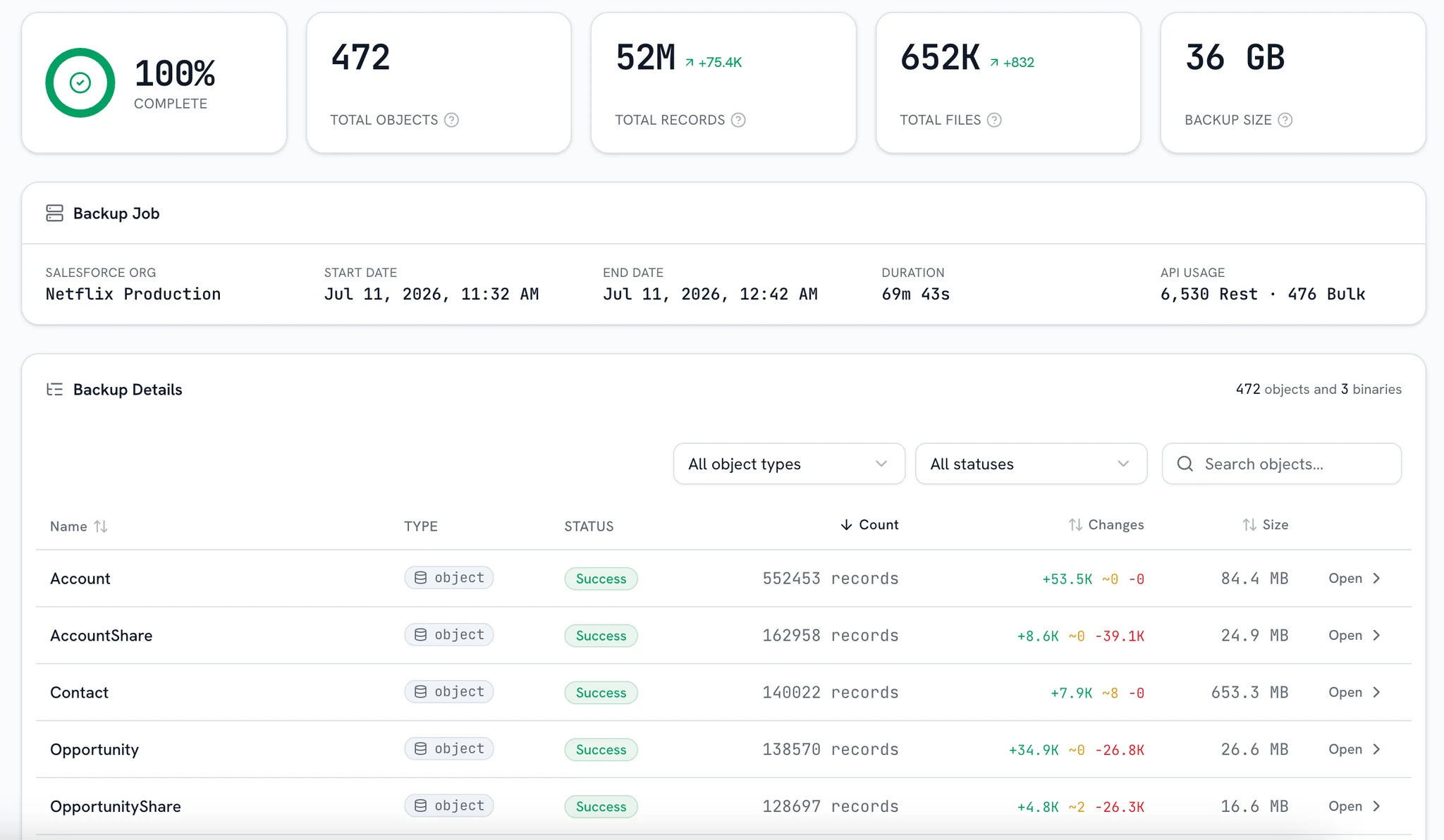
Every backup schedule, its last run and what it captured, per connected org.
Plugs into the stack you already run
Everything you need to run the org with confidence
Eight modules, one snapshot store. Connect an org once and every module reads from the same captures.
Backup & Restore
Full and incremental snapshots on your schedule, restored with a preview of every insert, update, and skip.
ExploreChange Tracker
Every build captures the full metadata snapshot; every change opens as a side-by-side diff.
ExploreArchive
Move cold records and files to storage you own, captured, and verified before anything is deleted.
ExploreSandbox Seeding
Seed a sandbox from a production snapshot: a filtered slice, relationships intact, sensitive fields anonymized.
ExploreQuery Console
SQL over any snapshot: joins, exports, and saved queries, without touching API limits.
ExploreData Quality
Scan a snapshot for duplicates and merge each group into one record. Merges default to a dry run, and live merges are reversible.
ExploreSecurity Center
Who can see what, scored from captured metadata joined with live user assignments.
ExploreOrg Assistant
Ask how a field is populated or what a Flow does, answered from snapshots with citations.
Explore
“bluefactory has allowed us to significantly reduce the volume of historical data stored in Salesforce without losing access to it. We've now archived more than 27 million records across multiple objects, while our teams can still access the information they need directly from Salesforce. It gives us a simple and effective way to keep our org lean while retaining our historical data.”
Restore with the whole plan in front of you
Pick a snapshot, scope the records, and read every planned write before a single one reaches the org.
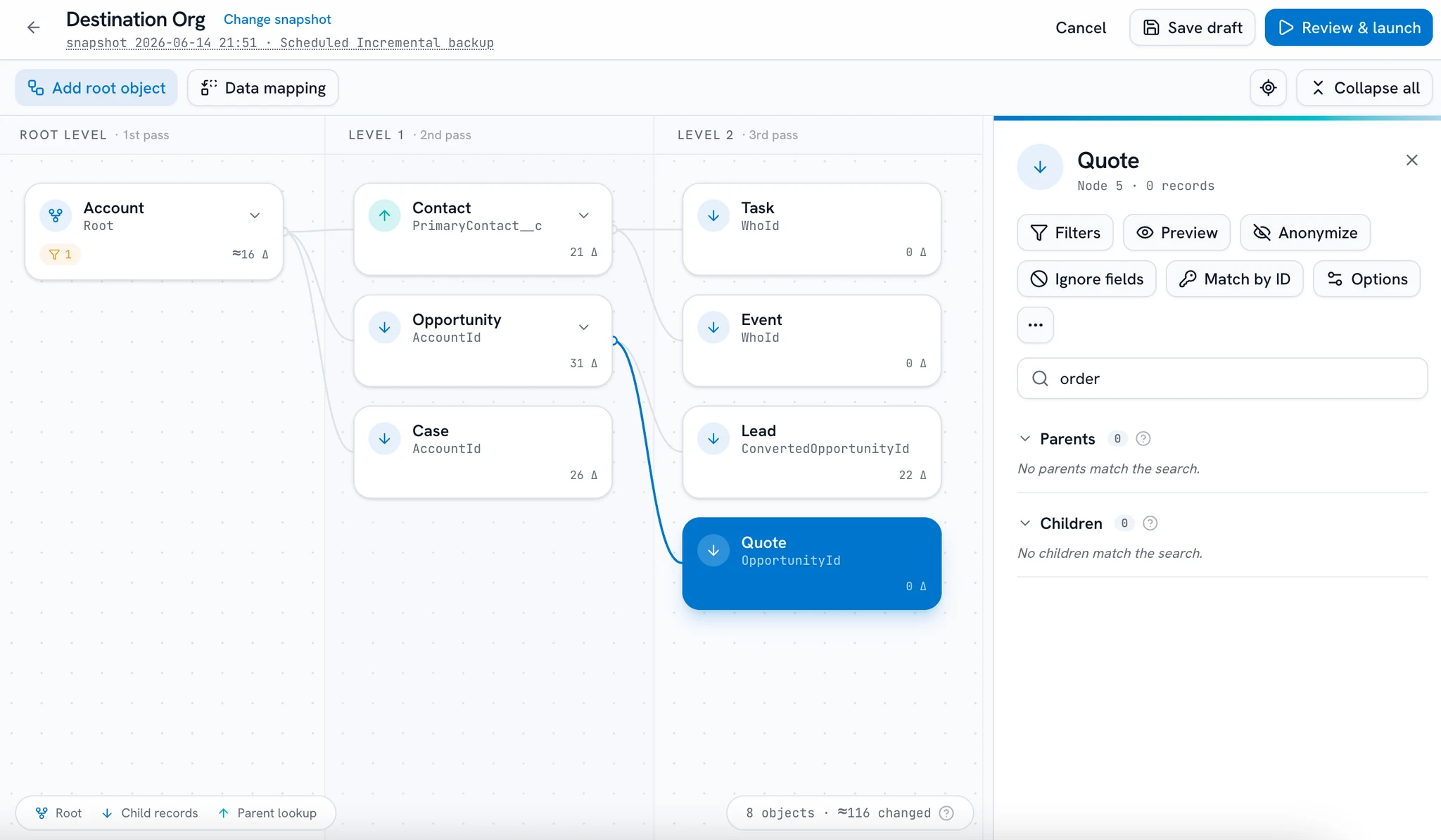
Preview first
Every insert, update, and skip is listed before the apply.
Related records travel
Lookups, files, and history restored together, in dependency order.
Compliance applied
Forget and rectify rules run at restore time, automatically.
Logged end to end
Every apply audited from the first read to the last write.
Built for the moments Salesforce can't help
A bad deployment
A Flow, trigger or data load rewrites thousands of records, and rollback doesn't exist. Restore exactly what changed, previewed first.
Backup & RestoreA sandbox refresh
Need realistic test data without exposing customer information? Seed a sandbox from any snapshot, sensitive fields masked on the way in.
Sandbox SeedingAn audit request
Someone asks what changed six months ago. Open that month's snapshot, diff it, and query it like a database.
Query ConsoleA storage limit
Archive years of inactive records out of Salesforce while keeping every one searchable and restorable.
ArchiveOne platform and a shared snapshot layer across every connected org
Ask the org itself
“How is this field populated?” “What does this Flow do?” Questions that used to mean an afternoon of spelunking, answered in a sentence with the sources attached.
Grounded in snapshots
Answers come from the metadata your Change Tracker captured, never a guess about the live org.
Citations on every claim
Each answer names the exact components it read, so you can open them yourself.
@-mention any component
Tag a Flow or a field in your question and the assistant reads it directly.
Never touches the live org
The assistant reads captured metadata only: no record data, and nothing is ever written to the org.
Why did the discount formula change on closed-won opportunities?
The Flow Discount_Calc was updated in build 214. Its Closed Won branch now sets 15% instead of 10%. The validation rule Enforce_Floor still caps the final value.
Know what changed, down to the line
Every build captures the full metadata snapshot; every change opens as a side-by-side diff, so “what changed since Thursday?” has an exact answer.
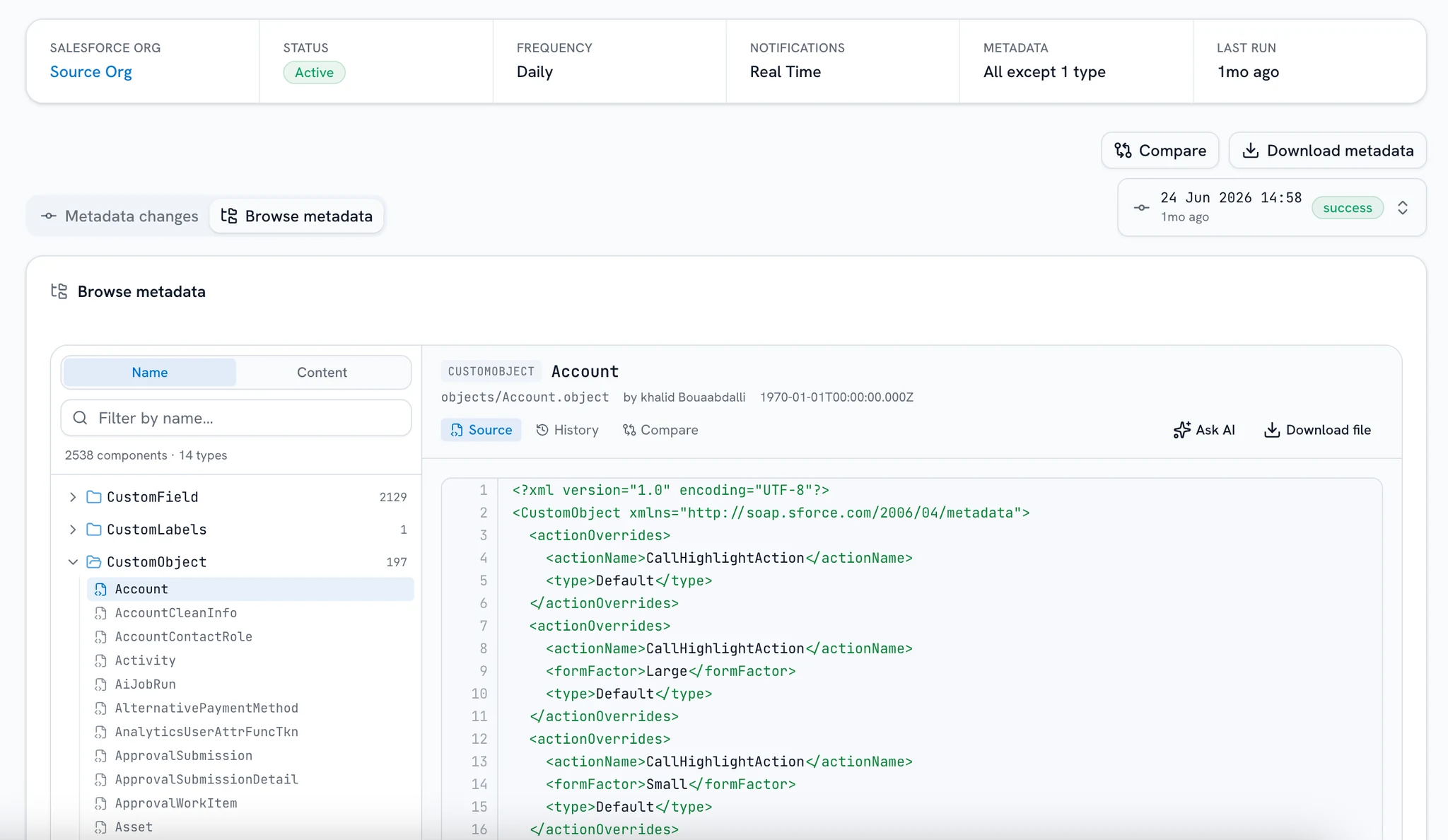
Full snapshot every build
Not just the diff: the whole org's metadata, captured each run.
Side-by-side diffs
Down to one field in a 4,000-line object definition.
Per-component history
Every captured change since tracking began, in order.
Compare across orgs
The same component, diffed against another org's latest snapshot.
SELECT a.Name, COUNT(o.Id) AS opps, SUM(o.Amount) AS pipelineFROM Account aJOIN Opportunity o ON o.AccountId = a.IdWHERE o.StageName = 'Closed Won'GROUP BY a.NameORDER BY pipeline DESC
| Name | Opps | Pipeline |
|---|---|---|
| Acme Corp | 34 | 1,284,500 |
| Northwind Ltd | 28 | 962,300 |
| Initech | 21 | 771,900 |
| Globex | 19 | 680,400 |
1,284 rows · 42 ms · read from the snapshot, not the org
Every snapshot is a database
Joins, aggregates, and exports over last night's backup, without touching the live org or its API limits.
- Pick a run and get a schema sidebar with typed columns.
- Write SQL, or describe the question in plain English.
- Grid, column profile, CSV export, and a saved-query library shared with the team.
- Id columns link straight through to the record in the live org.
- A built-in File Search folder lists every file a snapshot captured, one download per row.
Put your org under version control today
Connect one org in minutes. Scheduled snapshots, diffs, and point-in-time queries from your first backup.
Free for one org, no credit card.