
A version history for your whole org
bluefactory captures a full metadata snapshot on every build and opens every captured change as a side-by-side diff: who changed it, when, and exactly what it said before.
“Who changed that field?”
A full snapshot, every build
Each scheduled build captures the org's entire metadata: Apex, Flows, profiles, layouts, custom objects and more. Changes are computed between builds, so the history is complete.
- Apex, Flows, profiles
- Layouts and objects
- Diffed between builds
Diffs down to one field
One changed field opens as one changed block, extracted from the object that holds it, so a multi-thousand-line definition never buries what moved.
- Split or unified
- Whitespace ignored
- Deep-linkable
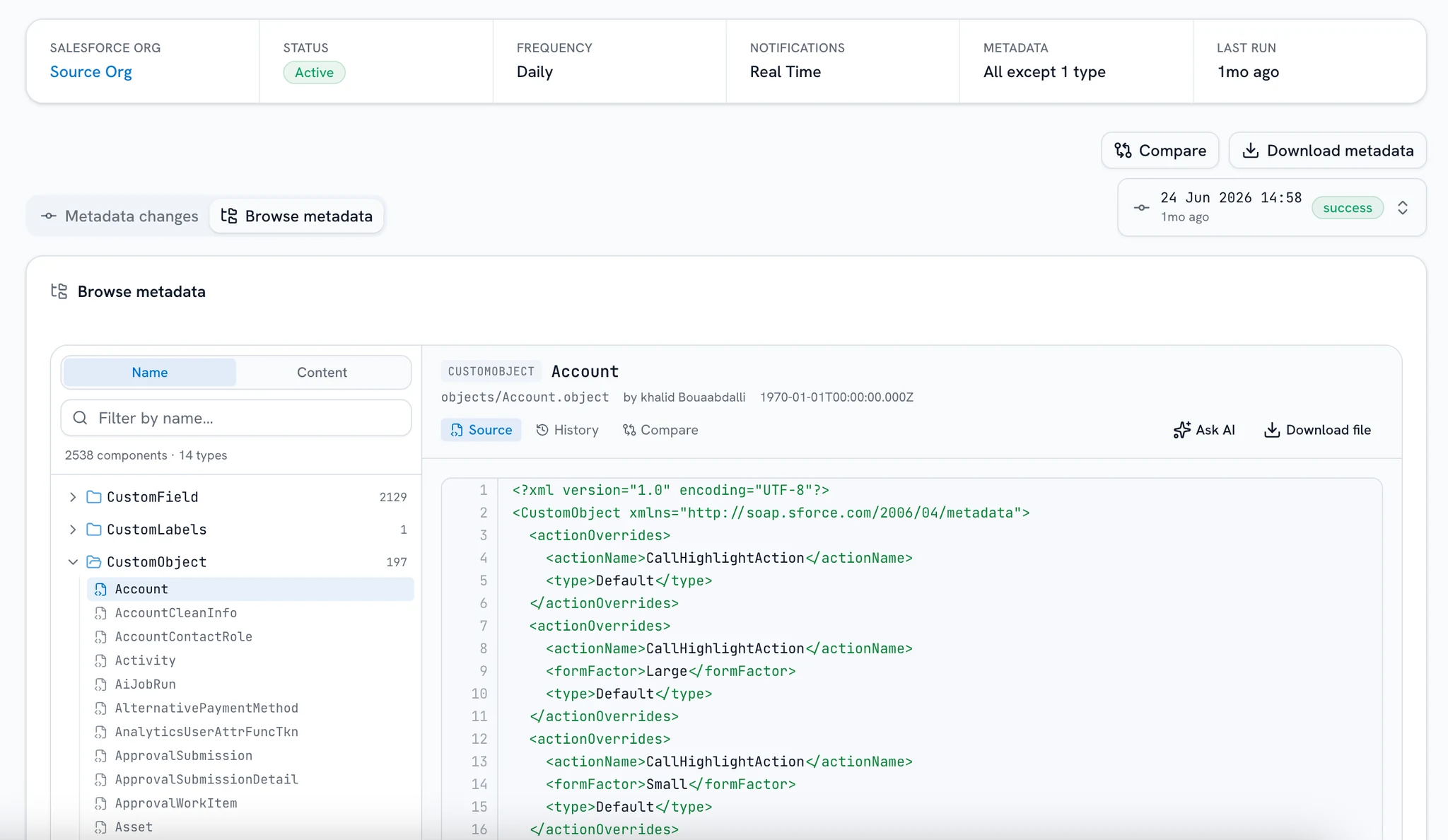
Browse, search, compare
Explore everything a build captured, grouped by type, with per-component source and downloads for binary StaticResources and Documents. Search every component's source, or diff one against another org's latest snapshot.
- Folder tree by type
- Content search
- Cross-org compare
Ask your own metadata
Ask how a field is populated or what a Flow does, and read the answer in plain language, grounded only in the snapshots you captured.
- Plain-language answers
- Grounded in your snapshots
- Every claim cited
Every change, traced to the build that shipped it
A full snapshot on every build
Each scheduled build captures every metadata type in the tracker's scope: Apex, Flows, profiles, layouts, custom objects and the rest. Changes are computed between two builds, so the history is complete rather than a list of what someone remembered to record.
Build #218 · full metadata snapshot
Every type in the tracker's scope, captured whole. Changes are computed between builds.
Frequently asked questions
What the Change Tracker captures each build, how diffs are computed, and what history it can show.
Want a demo? Book a demo
What exactly does a build capture?
A full metadata snapshot of the org, every time: Apex classes and triggers, Flows, profiles, permission sets, layouts, custom objects and fields, and the rest. Changes are computed between builds, so the history is never just a chain of diffs.
How is this different from the Setup Audit Trail?
The audit trail records that someone changed something: a name and a date. bluefactory shows the change itself, previous vs current source, plus each component's history across builds and the ability to compare it against your other orgs.
Can I see drift between sandbox and production?
Yes. Open any component and compare it against another tracked org's latest snapshot, or diff a whole build against any build of any of your orgs: additions, removals, and edits, side by side.
Can I search inside a snapshot?
Yes. Content search greps every captured component's source, so “which metadata uses this field?” has an exact answer. On metadata-heavy orgs the search runs in the background and results are cached, so repeating it is instant.
How often do builds run?
On the schedule you set. Captures are automatic, and you can trigger one on demand. The first build establishes the baseline; every build after that records what changed against the one before.
What powers the Org Assistant's answers?
Only your captured snapshots: no live org access and no record data. It answers in plain language for admins, developers, and business users alike, and cites the components it read so every claim can be checked.
Know what changed by tomorrow morning
The first build captures your baseline. Every build after that answers “what changed?” with a diff.
Free for one org, no credit card.