Ask your org how it works
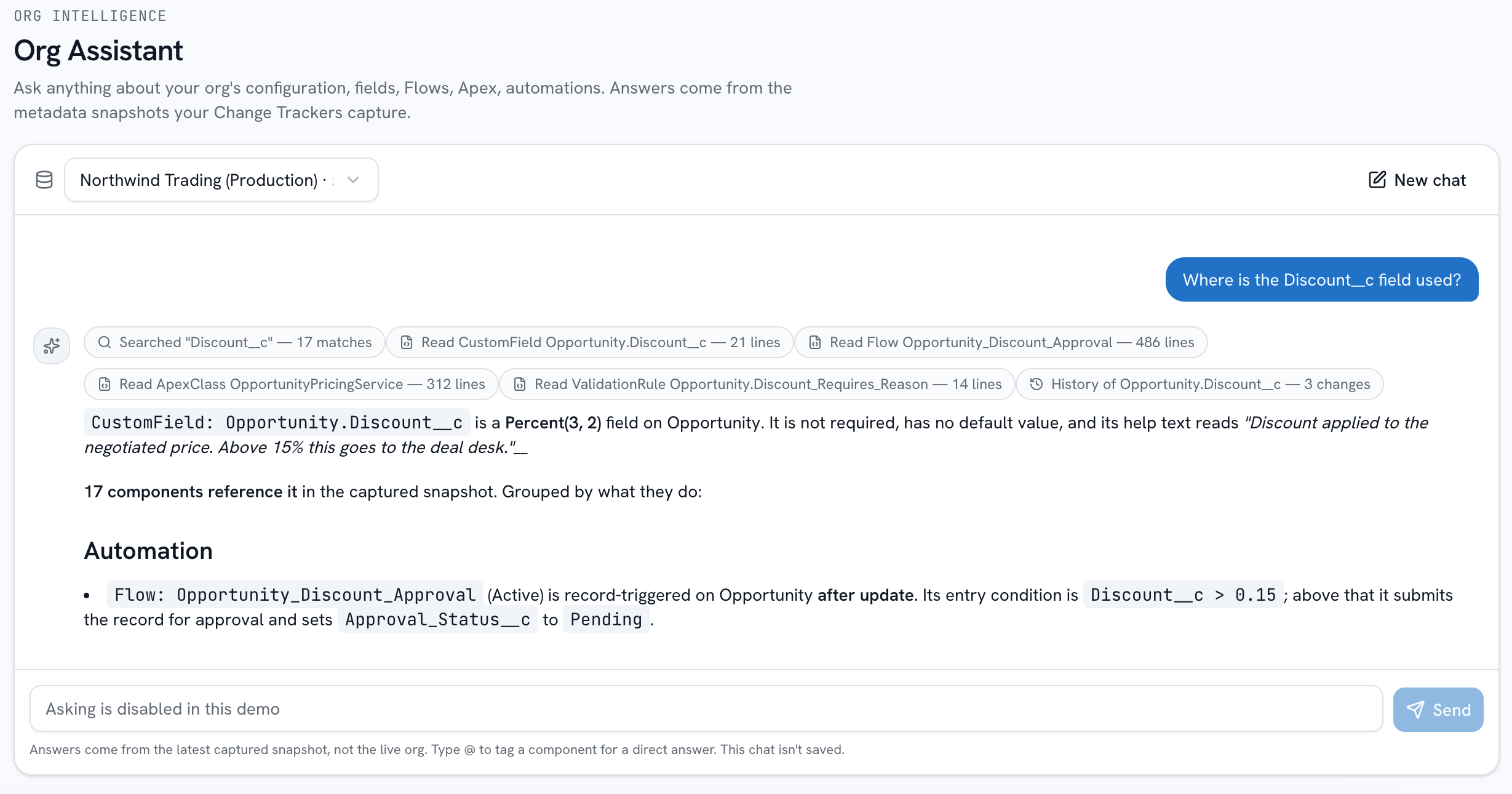
Plain-language questions about your Salesforce configuration: how a field is populated, what a Flow does, what references a class. Every answer is grounded in the metadata snapshots your Change Tracker captures, and cites the components behind it.
Your org, explained from its own metadata
Grounded in your snapshots
Answers come exclusively from the metadata your Change Tracker captured. The assistant lists, searches, and reads those components and nothing else: no live org access, ever.
- Captured metadata only
- No live org access
- No record data
Every claim cited
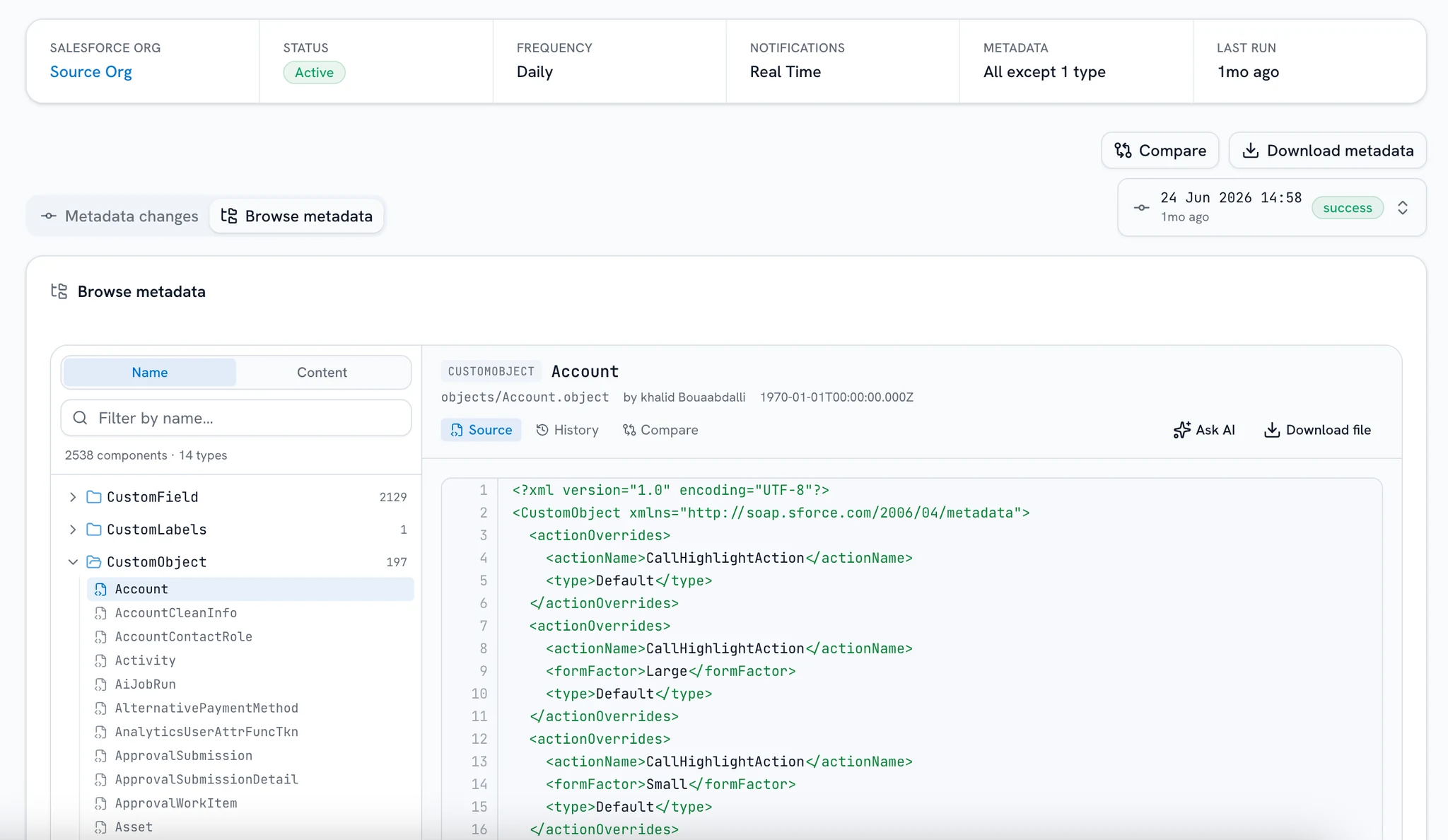
Components are cited as Type: FullName, so checking an answer is one click. It works the other way too: every component in the metadata browser has an Ask AI button that opens a conversation about it.
- Cited as Type: FullName
- One click to the source
- Ask AI from the browser
Mention it, or ask across builds
Tag a component by API name, label, or shorthand and the assistant reads it directly instead of searching first. Ask when a formula changed and it walks that component's timeline across builds.
- @-mention any component
- History across builds
- Skips the discovery step
Configuration, not execution
It reads captured metadata, so it can tell you what is capable of causing a behavior, never proof that a particular run did. Debug logs and record history are outside its scope, and it says so rather than guessing.
- Read-only
- Says what it could not find
- Nothing persisted
An answer you can check, component by component
Plain language, whoever is asking
“How is this field populated?” “What does this Flow do?” Admins and developers get API names and specifics; a business user gets plain English and the field labels they already know, without the XML. The same question, a different register.
How is Account.Discount__c populated?
The question runs against the newest captured build, never the live org.
Frequently asked questions
Where the answers come from, how current they are, and what the assistant will not do.
Want a demo? Book a demo
Does it see our customer data?
No. The assistant reads metadata (fields, Flows, Apex, profiles, your org's configuration), never records. Customer data isn't in its inputs, and conversations are ephemeral: nothing you ask is stored.
Where do the answers come from?
Exclusively from the metadata snapshots your Change Tracker captures. The assistant lists, searches, and reads those captured components. It has no live org access, and when it can't find something it says what it searched instead of filling the gap.
How is this different from asking a general-purpose chatbot?
A general chatbot has never seen your org and answers from patterns. The assistant answers from your actual captured metadata and cites the components it read as Type: FullName, so instead of trusting the answer, you can open the source and check it.
Who is it for?
Admins, developers, and business users alike. The same question gets a different register: technical users get API names and specifics, while a business user gets plain English and the field labels they already know, without the XML.
How current are the answers?
As current as your last snapshot. The assistant answers from the newest captured build, not the live org. Run tracker builds on a schedule and the gap stays as small as you want it.
Can it change my org?
No. It's read-only over captured snapshots: it can't write to the org or execute anything. It reads, searches, and explains; acting on what you learn stays with you.
Stop excavating your own org
Connect an org, let the Change Tracker capture its first snapshot, and ask your first question, with every claim cited to the component behind it. No credit card to start.