Backup & restore your Salesforce org, down to the record
Automated full and incremental snapshots of data and metadata, retained on your policy in storage you own, and restored with a preview of every insert, update, and skip before a single write hits production.
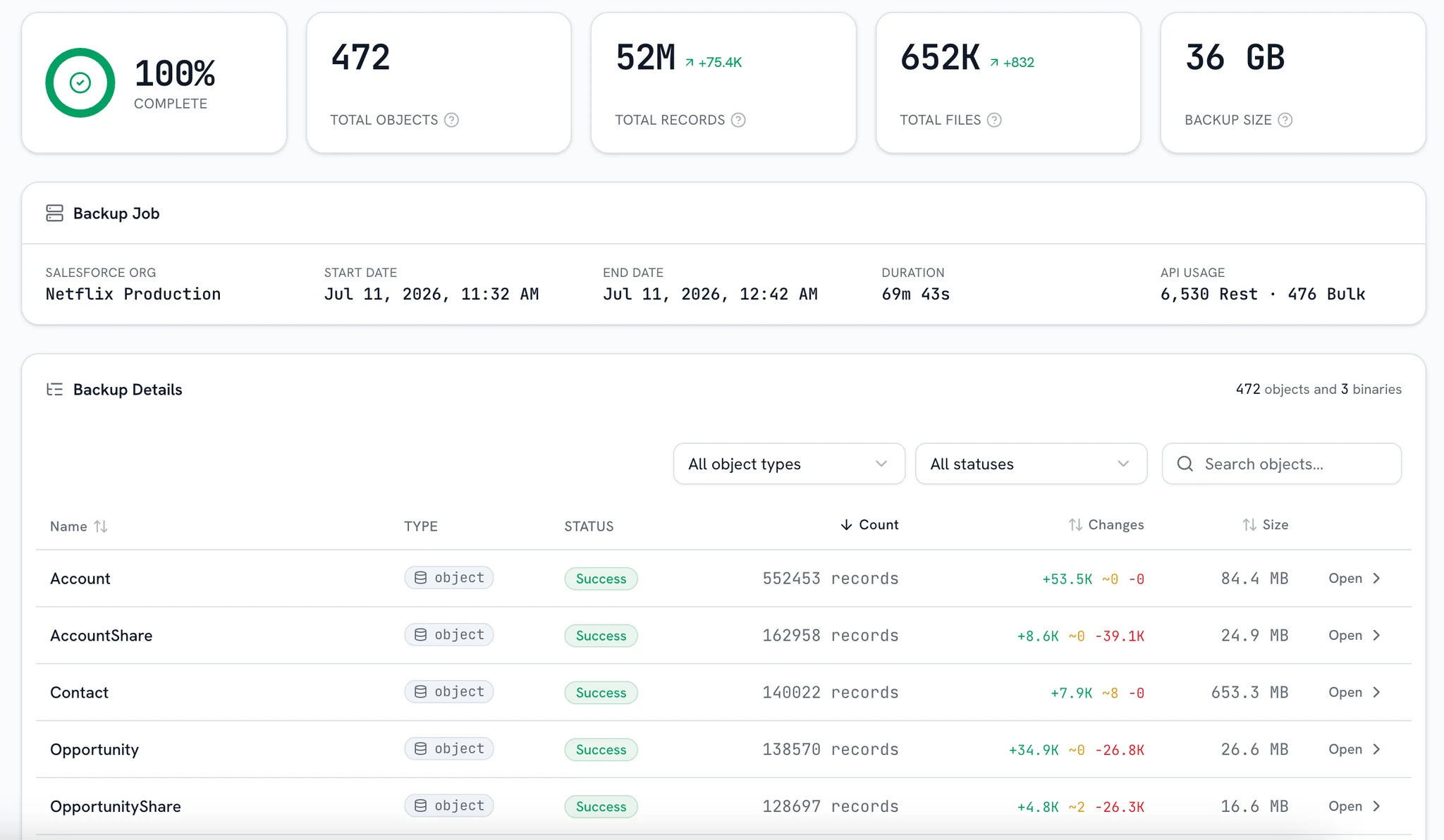
Complete coverage, on a policy you control
Scheduled captures
Daily or weekly schedules with the retention window you set, plus a one-click full snapshot whenever you want a clean baseline before a deploy or a data load.
- Full + incremental
- Daily or weekly
- On-demand snapshots
Data and metadata
Records, the files attached to them and your org's metadata are captured together, so a restore brings the configuration and the attachments back with the rows.
- Standard + custom objects
- Attachments and files
- Metadata snapshot
Retention you own
Keep snapshots exactly as long as policy requires, in your own bucket, and every one stays a live copy of the org you can query or export at any time.
- Retention you set
- Your bucket, your region
- Queryable and exportable
Safe by default
Encrypted at rest and in transit, scoped to your account on every read, and recorded in an audit trail you can read yourself.
- Encryption end to end
- Strict tenant isolation
- Audited access
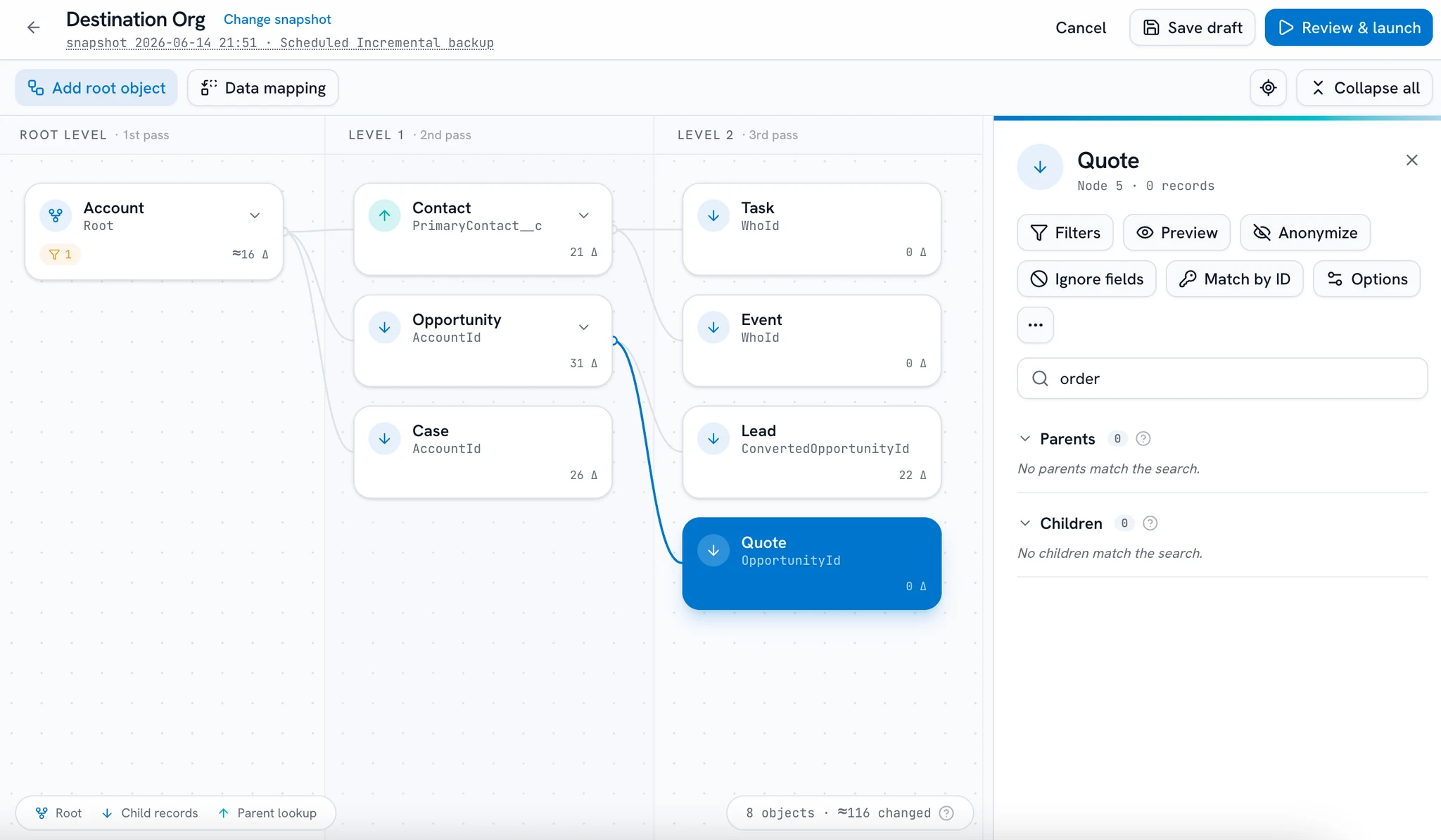
A restore you can preview before you run it
Rewind to any captured moment
Every completed backup is a restore point: a full snapshot, or an incremental chain rebuilt to that run's exact state, from before the accidental delete or the bad deployment.
Any completed run is a restore point. An incremental replays the full snapshot and every delta up to it.
Frequently asked questions
What a backup captures, where it is kept, and exactly what a restore writes.
Want a demo? Book a demo
Where does my backup data live?
There are two ways, and you choose per backup. bluefactory-managed storage is the default: nothing to set up, and you pick the region it lands in. Customer-managed storage points the same runs at a bucket you own, Amazon S3 or Azure Blob, in your cloud account, your region, under your keys, so the snapshots stay there whatever happens to your subscription. Encrypted at rest either way.
What does a backup actually capture?
Standard and custom objects, the files attached to them (ContentVersion, Attachments, Documents), and your org's metadata, as full snapshots or incremental base-plus-delta chains.
Do incremental backups catch deletions?
Yes. Each delta records what was created, updated, and deleted since the last run, and a recurring full snapshot keeps chains short so a restore never replays unbounded history.
Can I restore just a few records, or a single field?
Yes. Scope a restore to whole objects, specific records, or individual fields on the records you pick. Everything outside that scope is never written to.
Will I see what a restore changes before it runs?
Yes. Every restore produces a full preview, each insert, update, and skip listed per object, and zero writes reach the org until you apply it.
What happens to lookups and master-detail relationships?
They are rebuilt during the restore, in dependency order: parents go back before the children that reference them, and lookups are reconnected on the way in instead of being left as orphans.
Can a restore bring back data we had to erase under GDPR?
No, and that is deliberate. Forget and rectify requests logged in the Data Compliance module are applied automatically at restore time: forgotten records are excluded and rectified fields rewritten.
How will we know if a backup fails?
An email or Slack alert the moment a run finishes, or only on failures, plus one weekly digest per org. Warnings surface in the run view itself.
Does bluefactory store my Salesforce password?
No. Orgs connect over Salesforce OAuth, and you can revoke bluefactory's access from Salesforce at any time.
Find out you can recover before you have to
Back an org up, then run your first previewed restore. You'll read every write before it happens.
Free for one org, no credit card.